
 Stabiel
Windows 10 / 11
Native desktop installer · x64
v2.6.30 · EXE Download Windows Requirements & setupWindows Stable is available now. Mac and Linux Beta packages are ready for early testing. All direct package links are managed in the WA Multi Release Center.
StabielNative desktop installer · x64
v2.6.30 · EXE Download Windows Requirements & setup Bèta
BètaM-series Macs · ARM64
v2.6.30 · DMG Download DMG Download ZIP alternative
BètaIntel Macs · x64
v2.6.30 · DMG Download DMG Download ZIP alternative Bèta
BètaPortable Linux · x86_64
v2.6.30 · APPIMAGE Download APPIMAGE Requirements & setup
 Bèta
BètaDEB package · amd64
v2.6.30 · DEB Download DEB Requirements & setup

 Bèta
BètaRPM package · x86_64
v2.6.30 · RPM Download RPM Requirements & setupBeta builds: macOS and Linux packages are early-access test releases. Mac packages are not yet code-signed or notarized. Package availability does not guarantee compatibility with every desktop, distribution or permission configuration. WA Multi is not affiliated with WhatsApp or Meta.
Keep your Personal, Work, Sales and Support WhatsApp Web sessions separate in one focused desktop workspace. Windows Stable and Mac/Linux Beta downloads are available below.

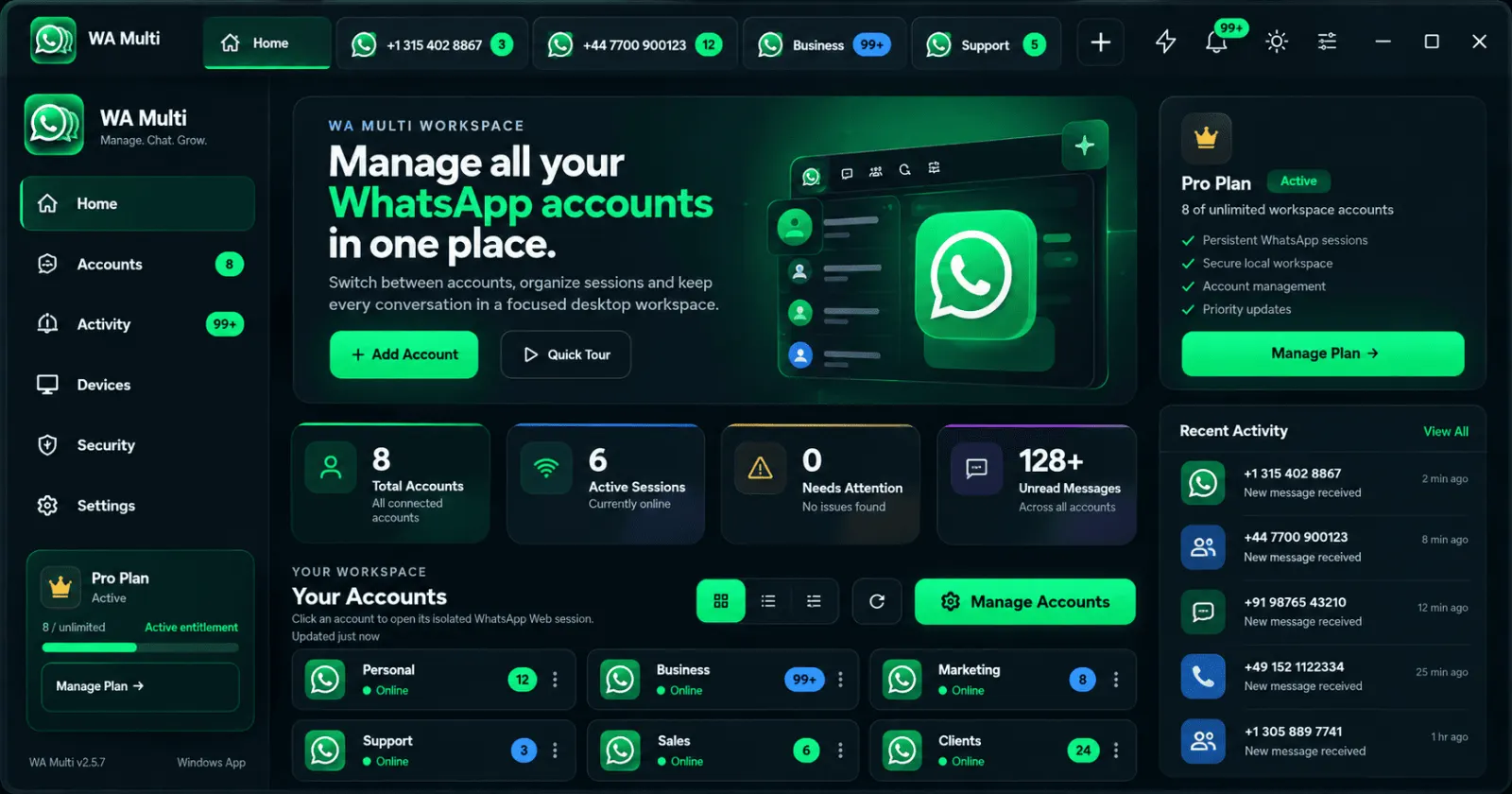
WA Multi does not create WhatsApp accounts. You link the WhatsApp accounts you already use through the normal WhatsApp Web device-linking flow.
Run the Windows installer and open your workspace.
Scan the WhatsApp Web QR code using your phone.
Use labels such as Personal, Work, Sales or Support.
Keep each session separate and switch from one workspace.
If you need to log in to two or more WhatsApp accounts on a Windows PC, the difficult part is usually not the QR code. It is keeping every account clearly separated after login.
WA Multi gives each WhatsApp Web session its own named workspace so personal, business, sales and support accounts are easier to identify and switch between.
Learn about multiple WhatsApp accounts on WindowsWA Multi is packaged as a standalone Windows desktop application.
WhatsApp Web itself requires network access to load and sync conversations.
Link the accounts you already own using WhatsApp's normal linked-device workflow.